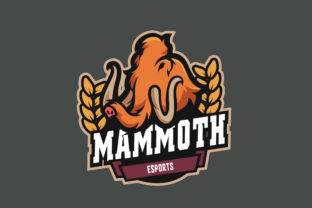
Creating a Custom E-Sports Logo with Mammoth E-Sports Logo
Designing a logo for your e-sports team or brand is more than just creating an image—it's about crafting a visual identity that represents your values, style, and community. Whether you're a professional gamer, a small team owner, or a content creator, having a strong, unique logo can make all the difference in how your brand is perceived online. One powerful tool that has gained popularity among e-sports enthusiasts is Mammoth E-Sports Logo. In this article, we’ll explore how to use Mammoth E-Sports Logo to create a custom design, including the necessary steps, tools, and considerations.
What Is Mammoth E-Sports Logo?
Mammoth E-Sports Logo is a digital asset designed specifically for e-sports teams and gaming communities. It offers a versatile template that allows users to personalize their logos with various elements such as colors, fonts, and graphic styles. This tool is particularly useful for those who may not have access to advanced graphic design software but still want to create a high-quality, professional-looking logo.
The Mammoth E-Sports Logo includes several key components: a preview of the final design, an editable AI file for customization, font link files for easy installation, and a graphic style guide to maintain consistency. These features make it an ideal choice for both beginners and experienced designers looking to streamline their workflow.
Getting Started with Mammoth E-Sports Logo
To begin using Mammoth E-Sports Logo, you'll need a few essential tools and resources. First, ensure you have Adobe Illustrator installed on your computer. Adobe Illustrator is the industry-standard vector graphics editor and is necessary for editing the AI file provided by Mammoth E-Sports Logo.
Next, download the Mammoth E-Sports Logo package. Inside the folder, you will find a font.txt file that contains links to the fonts used in the design. To install these fonts, follow these steps:
- Open the font.txt file and copy the font links.
- Paste the links into a web browser and download each font individually.
- Install the downloaded fonts on your system through the font installer.
Once the fonts are installed, open the editable AI file in Adobe Illustrator. You can then customize the logo by adjusting colors, text, and other design elements to match your team’s branding.
Customizing Your Logo with Mammoth E-Sports Logo
The Mammoth E-Sports Logo provides a flexible framework that allows for extensive customization. Here are some key areas where you can make changes:
- Colors: Adjust the primary and secondary colors to reflect your team’s theme or personality.
- Text: Modify the team name or tagline using the fonts installed from the font.txt file.
- Graphic Elements: Experiment with different shapes, icons, or symbols to enhance the visual appeal of your logo.
- Layout: Rearrange elements within the design to achieve the desired balance and focus.
It’s important to maintain a consistent graphic style throughout your logo to ensure it looks cohesive and professional. The Mammoth E-Sports Logo includes a graphic style guide that outlines recommended color schemes, typography, and layout principles to help you stay on track.
Where Can You Use Your Custom Logo?
Your custom logo created with Mammoth E-Sports Logo can be used in a variety of contexts. Here are some common applications:
- Team Website: Use your logo as the main visual element on your team’s official website.
- Social Media: Display your logo on social media profiles, banners, and posts to build brand recognition.
- Merchandise: Print your logo on t-shirts, hoodies, and other merchandise to engage your fan base.
- Competitions: Use your logo during tournaments, events, and live streams to represent your team.
- Marketing Materials: Incorporate your logo into promotional materials such as posters, flyers, and email campaigns.
By consistently using your logo across different platforms, you can strengthen your brand identity and create a lasting impression among your audience.
Who Benefits from Using Mammoth E-Sports Logo?
Mammoth E-Sports Logo is suitable for a wide range of users, including:
- Professional Gamers: Create a personal brand that reflects your playing style and achievements.
- Small E-Sports Teams: Develop a logo that represents your team’s identity and values without requiring advanced design skills.
- Content Creators: Design a logo for your channel or brand to stand out in the competitive content creation space.
- Business Owners: Build a visual identity for your e-sports-related business or service.
- Online Communities: Represent your community or guild with a logo that resonates with your members.
Whether you’re an individual player or part of a larger organization, Mammoth E-Sports Logo offers a practical solution for creating a visually appealing and customizable logo.
Strengths and Considerations
Using Mammoth E-Sports Logo has several advantages. It provides a user-friendly interface, a comprehensive set of design tools, and the flexibility to tailor the logo to your specific needs. Additionally, the inclusion of font files and a graphic style guide ensures that your design remains consistent and professional.
However, there are also some considerations to keep in mind. While Mammoth E-Sports Logo simplifies the design process, it may not offer the same level of customization as more advanced design software. If you require highly intricate designs or specialized effects, you may need to use additional tools or hire a professional designer.
Another consideration is the importance of testing your logo across different platforms and sizes. Ensure that your logo remains clear and recognizable when displayed on various devices and screen resolutions.
Real-World Examples and Applications
To better understand how Mammoth E-Sports Logo can be applied in real-world scenarios, let’s look at a few examples:
- E-Sports Team Branding: A local e-sports team uses Mammoth E-Sports Logo to create a logo that combines their team name with a dynamic mascot, enhancing their brand presence in the community.
- Content Creator Channel: An independent content creator uses the logo to represent their channel, incorporating their favorite game characters and team colors to attract a loyal following.
- Event Promotion: An event organizer creates a custom logo for a tournament, using Mammoth E-Sports Logo to design a banner that promotes the event and encourages participation.
These examples demonstrate how Mammoth E-Sports Logo can be adapted to suit different projects and goals, making it a versatile tool for anyone involved in the e-sports world.
Evaluating Suitability for Your Needs
Before deciding to use Mammoth E-Sports Logo, consider whether it aligns with your specific requirements. If you’re looking for a quick and easy way to create a basic logo without extensive design experience, this tool is an excellent choice. However, if you need a highly detailed or complex design, you may need to explore other options or seek professional assistance.
Additionally, evaluate the scalability of your logo. Ensure that the design remains effective when scaled down for use on smaller platforms like social media or mobile devices. Testing your logo in different formats and sizes can help you identify any potential issues before finalizing your design.
Ultimately, the goal is to create a logo that not only looks great but also effectively represents your brand or team. With the right tools and guidance, Mammoth E-Sports Logo can help you achieve this objective while saving time and effort in the design process.